
Food cost and kitchen dashboards: from recipe to margin, without spreadsheets
Food cost is the lifeblood of professional kitchens. Here's how to calculate it in real time and manage it without Excel.
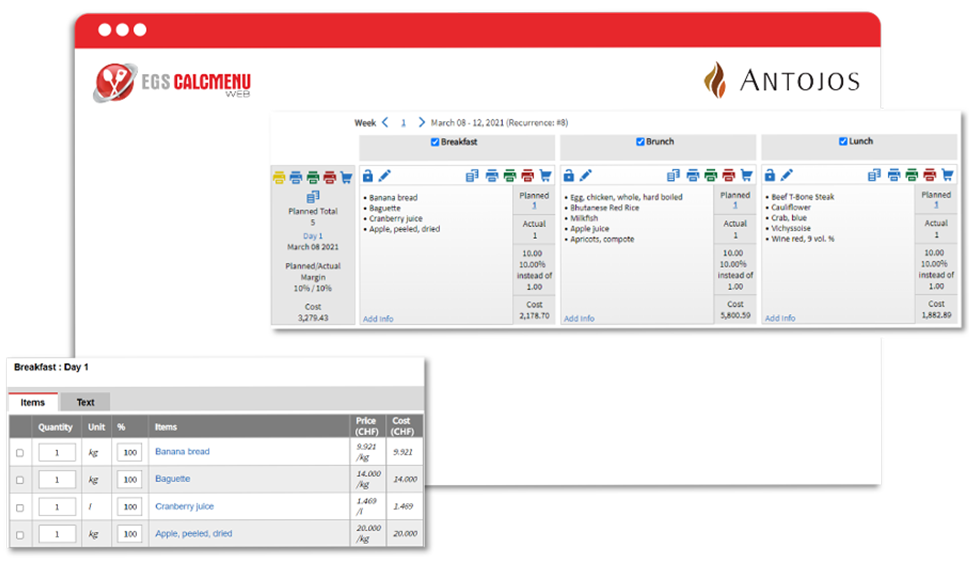
Food cost is the ratio between raw material costs and revenue generated. In professional food service, poorly controlled food cost can turn a profitable restaurant into a financial drain within months. Yet in many kitchens, it’s still calculated once a month in an Excel spreadsheet.
Why monthly calculation no longer cuts it
The problem with monthly calculation is simple: by the time you discover that January’s food cost was 38% instead of 30%, it’s too late to act on January. You can adjust February — if you’ve identified the cause.
Real-time food cost means knowing today that beef prices rose 12% at your main supplier, which will mechanically push your food cost up by 2 points on the affected dishes.
What CalcMenu calculates automatically
For every recipe in CalcMenu, food cost is calculated automatically from:
- Recipe ingredient quantities
- Purchase prices from the latest supplier orders
- The configured sale price
When a supplier price changes, all food costs for the affected recipes update automatically. You don’t need to recalculate.
The dashboards that change decisions
A useful food cost dashboard answers these questions:
- Which 5 dishes have the highest food cost this week?
- Which supplier raised prices most this quarter?
- Is my overall food cost trending up or down?
- Which site has the worst food cost, and why?
CalcMenu builds these views automatically from recipe data and purchase prices.
The link with other modules
Food cost can’t be managed in isolation. It’s connected to menu management (which dishes you offer), supplier orders (at what prices you buy), and waste management (what you produce but don’t sell).
CalcMenu centralises this data in a single database. That’s why the dashboard can be precise: all the variables are in the same system.
What chefs remember
Kitchens that use CalcMenu for food cost generally don’t go back to Excel spreadsheets. Not because CalcMenu is technologically impressive, but because it answers a simple question: “Am I making money on this dish?” — with an up-to-date answer in under 10 seconds.
Related sectors
Comments
Comments coming soon.